In this article, you will learn how to easily manage complex, multi-phase jobs using the Projects add-on in Workiz.
Projects is a Feature Center tool designed to bring structure to complex work. It allows you to organize multiple related jobs under one workflow so you can manage phases, track progress, coordinate teams, and keep everything connected throughout the lifecycle of a larger project.
Enabling the Projects tool
To get started with creating projects in Workiz, you will first need to enable the tool in the Feature Center.
- From the top navigation bar, select the Feature Center
- Select Projects
- Select Get started
Feature overview
Create projects in minutes
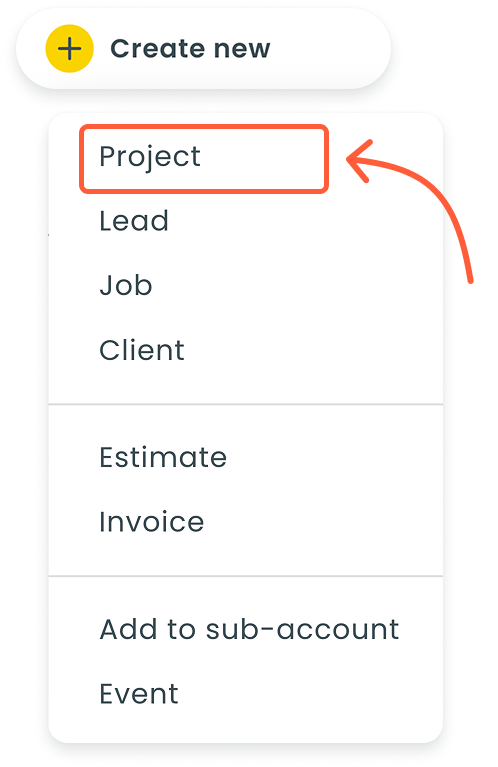
You can create a project wherever you’re working — whether starting from the "Create new" button in the sidebar or converting an existing job, lead, or estimate into a project with one click. This makes it easy to begin organizing complex work without interrupting your workflow.
This flexibility ensures projects fit naturally into how your team already works. No matter where a job begins, you can seamlessly turn it into a structured project when you realize it requires multiple steps, multiple visits, or multiple techs.
To learn more about creating projects, please see this article.
One project, multiple jobs
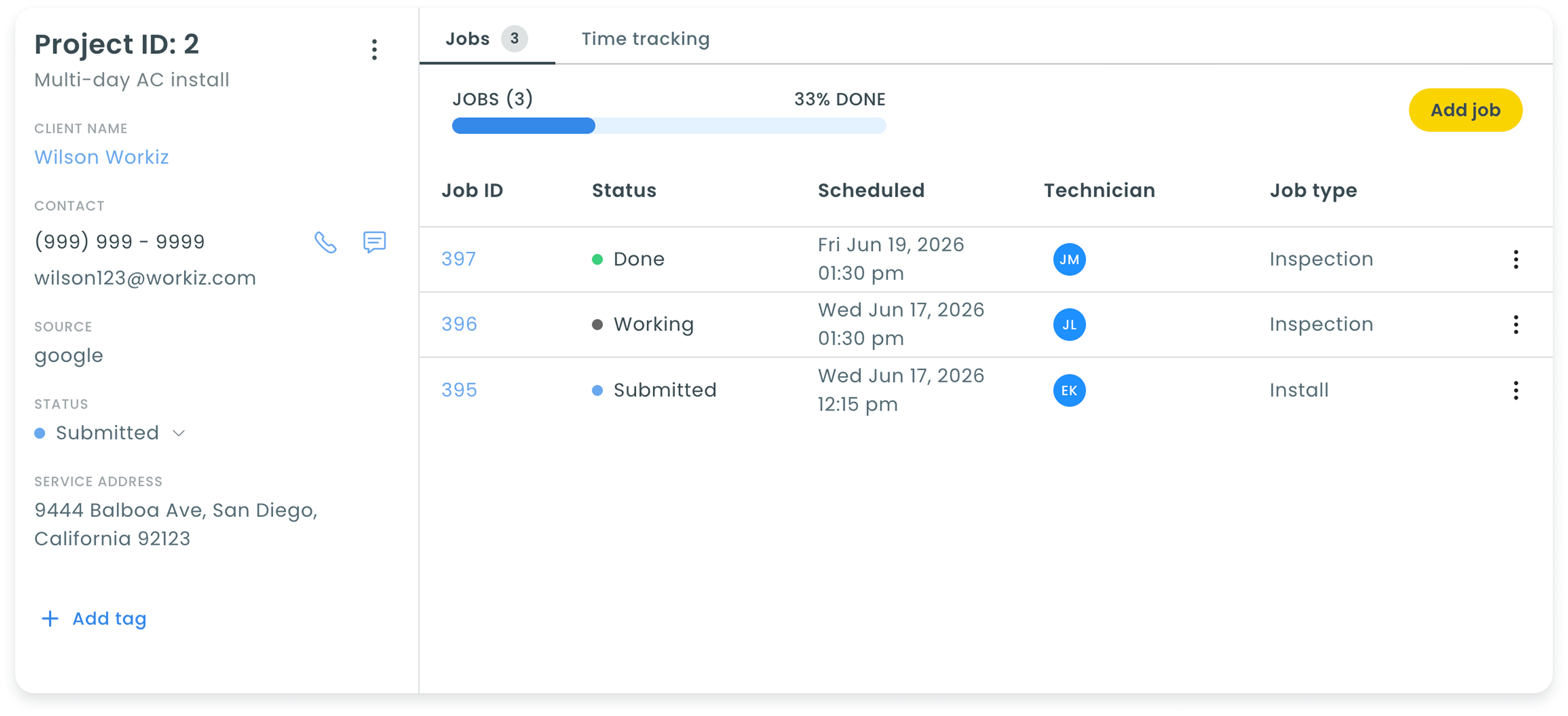
Projects let you organize several jobs under one structured workflow, giving you a clear way to break down multi-phase or multi-day work. Each job functions much like a standard job, with its own schedule, status, tags, techs, line items, notes, tasks, and more.
This structure keeps your work organized without losing flexibility. You maintain the full power of individual jobs while gaining the clarity of seeing them all grouped under one project, making it far easier to manage large or complex work.
To learn more about creating project-connected jobs, please see this article.
A dedicated space for projects
Your new Projects page gives you a centralized place to view every project across your account. From the sidebar, you can quickly scan key details like progress, status, and scheduling for all active and past projects.
Having a dedicated space makes it easier to monitor workload, stay organized, and catch issues earlier. With everything visible at a glance, you spend less time searching and more time managing work effectively.
Quick access for quick changes
Opening a project gives you an overview of every job and the ability to make updates instantly. Change statuses, adjust schedules, assign techs, and manage job types directly from the interface without navigating away.